Three ways to get your own material into QuizBlast: build a deck in the app, import one from a spreadsheet, or start from a built-in deck and make it yours. All three end the same way — a deck that's a plain file you own. Running Jeopardy? Boards have their own builder, covered below.
Way one — build it in the app
Question by question, with autosave
1
Open the deck editor
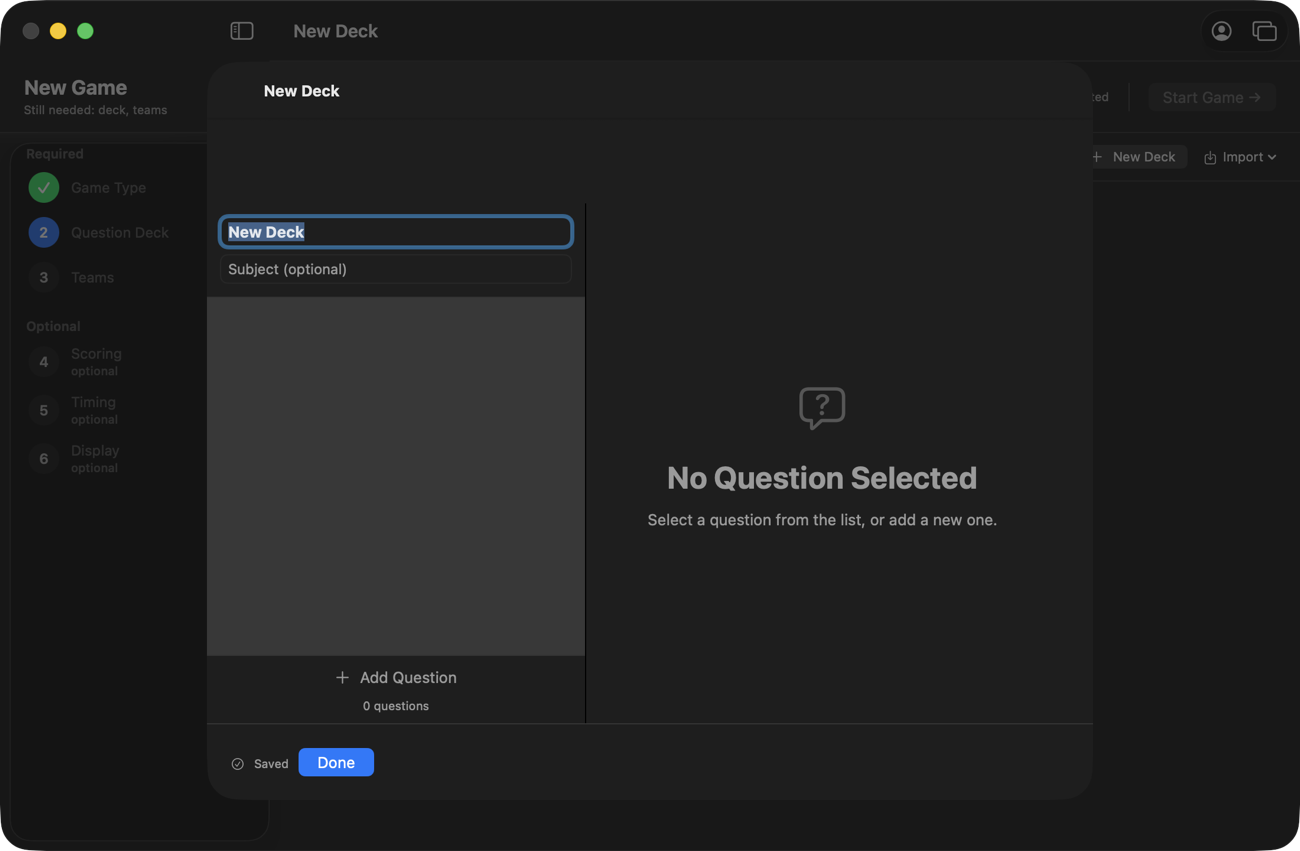
On the Question Deck step of a new game, click New Deck. The editor opens with the name selected — type over it, add a subject if you like, and you're already saving: every change autosaves as you type. There is no Save button to forget.
A new deck: name it, then start adding questions.
2
Write a question
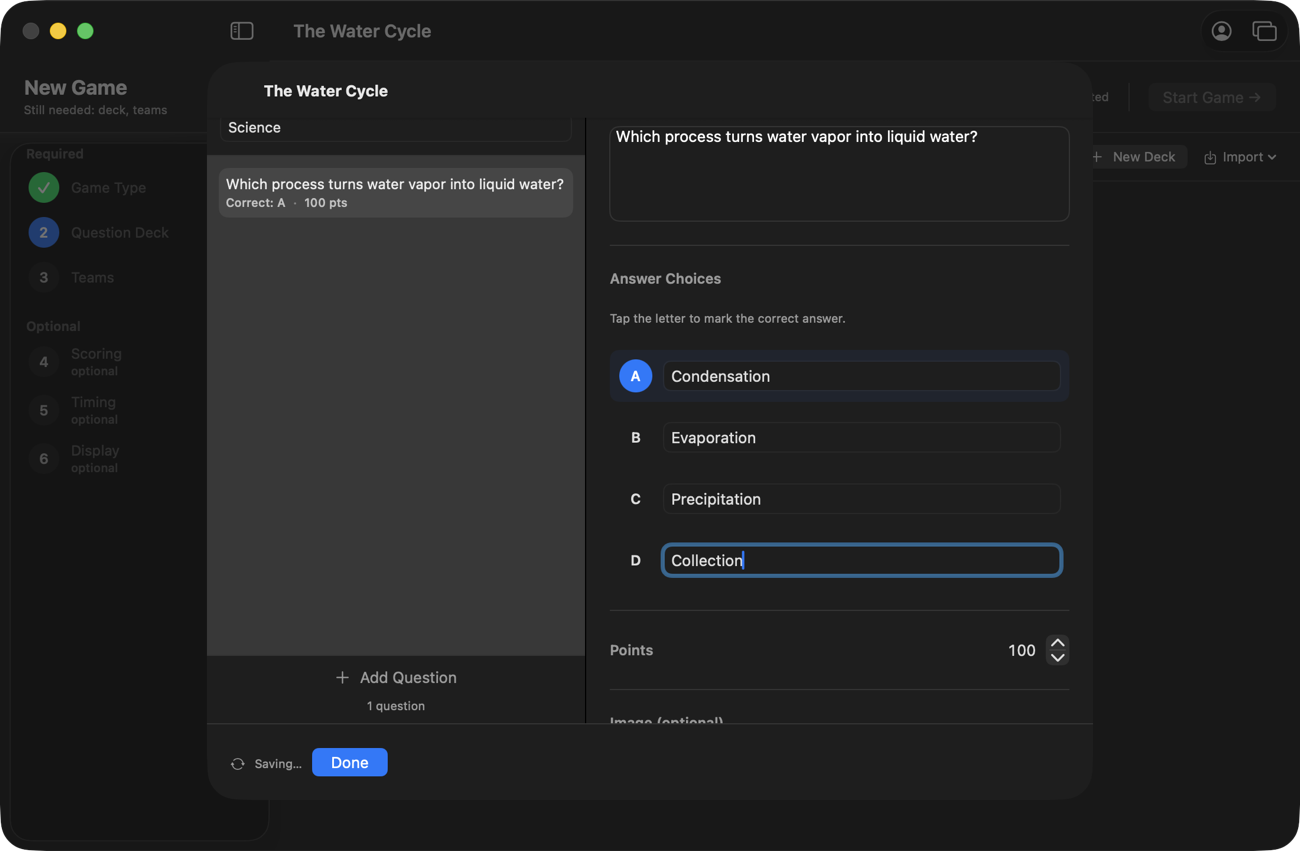
Click Add Question. Type the question, fill in the four choices, and tap the letter to mark the correct answer — the letter lights up blue. Each question has its own point value (100 by default) and an optional image. That's the whole anatomy of a question.
Question, four choices, tap the correct letter, done.
3
Repeat until the deck is done
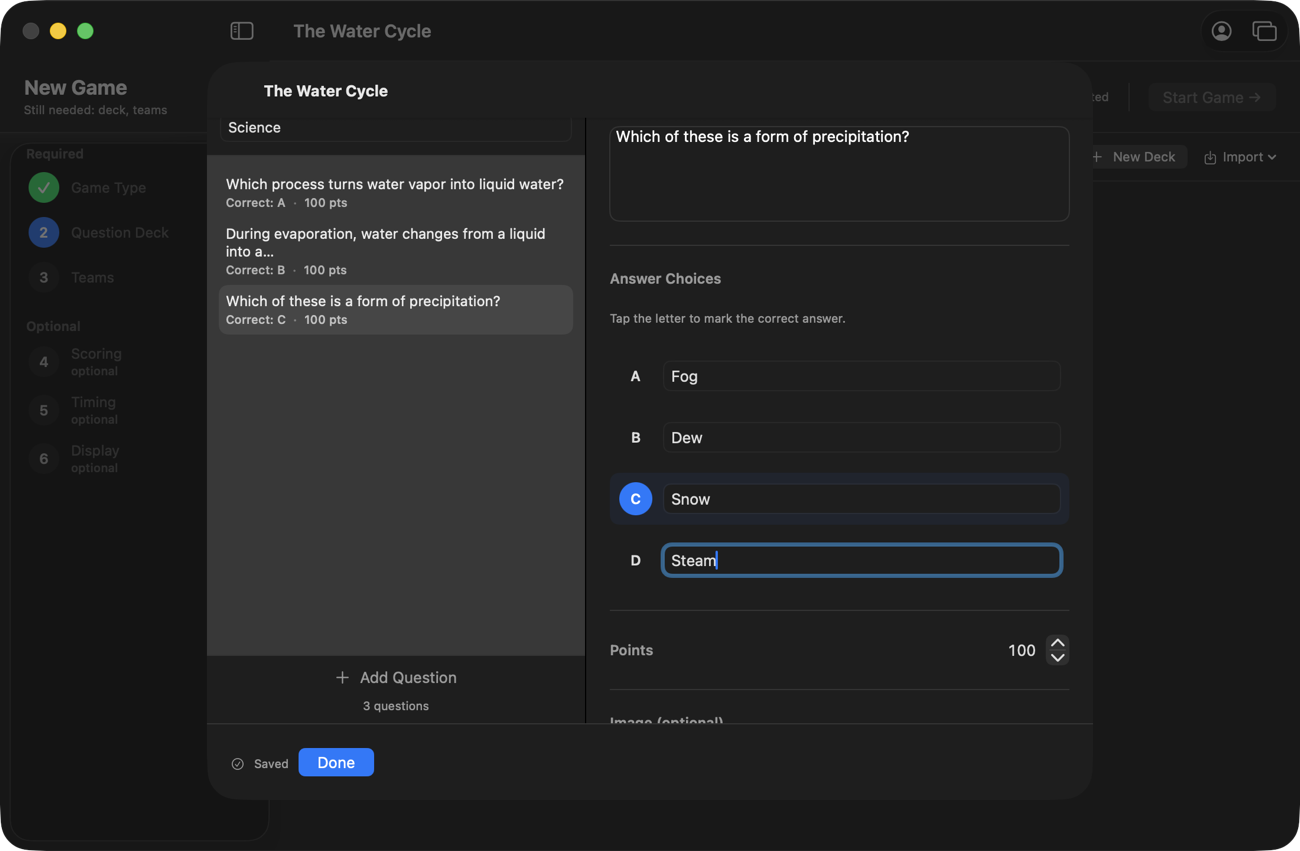
The list on the left grows as you go, showing each question's correct letter and point value at a glance. Click any question to edit it. Twenty questions makes a solid class-length game, but a deck can be three questions for a warm-up — there's no minimum. Click Done when you're finished.
The question list — each row shows the correct letter and points.
4
It's in your library
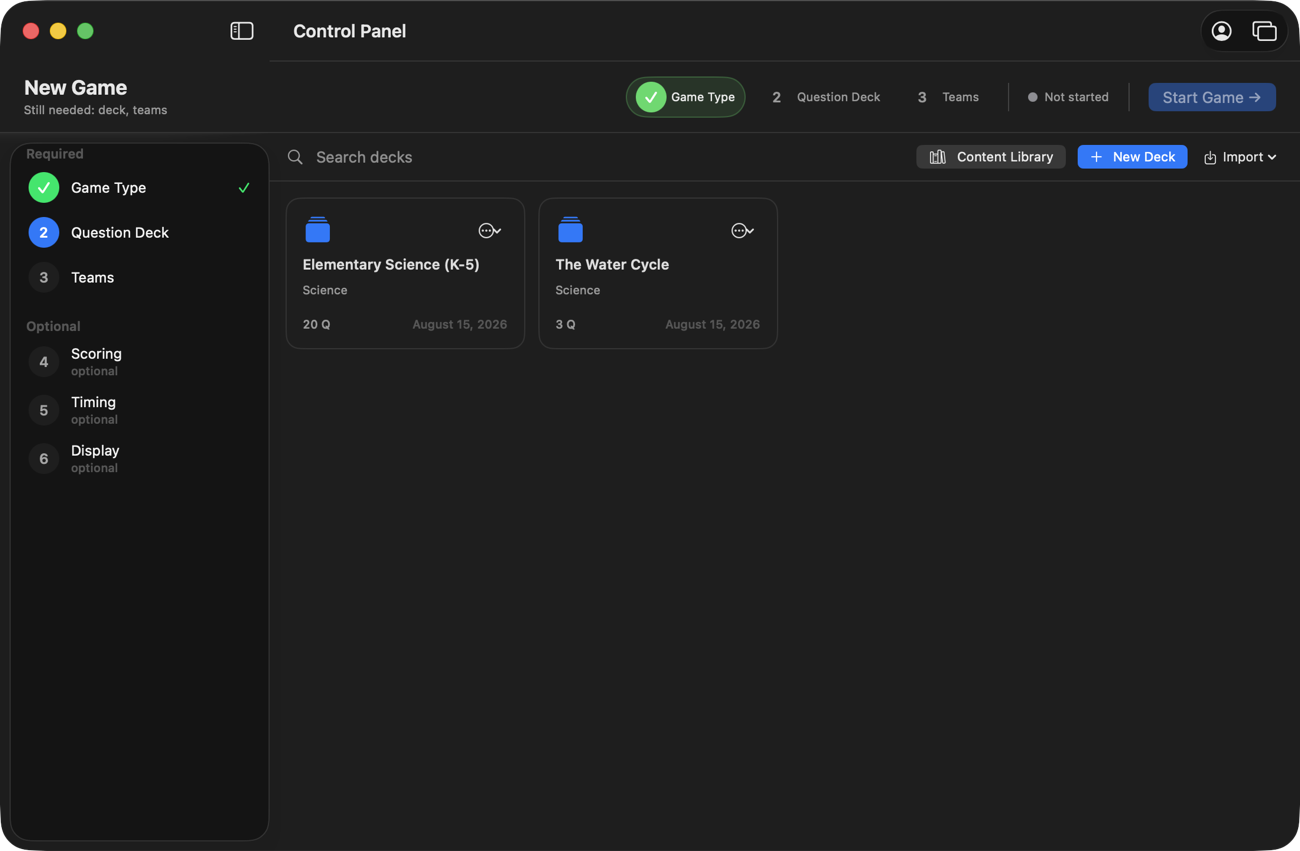
Your deck now sits in your library next to any built-in decks you've added, ready for every game mode — the same deck runs a classic quiz, a flashcard race, or a team buzzer game. The ⋯ menu on the card has Edit, Duplicate, and Delete — Duplicate is handy for making a period-2 variant without touching the original.
Done — the new deck lives beside your other decks.
Way two — import a spreadsheet
Already have questions? Bring the CSV.
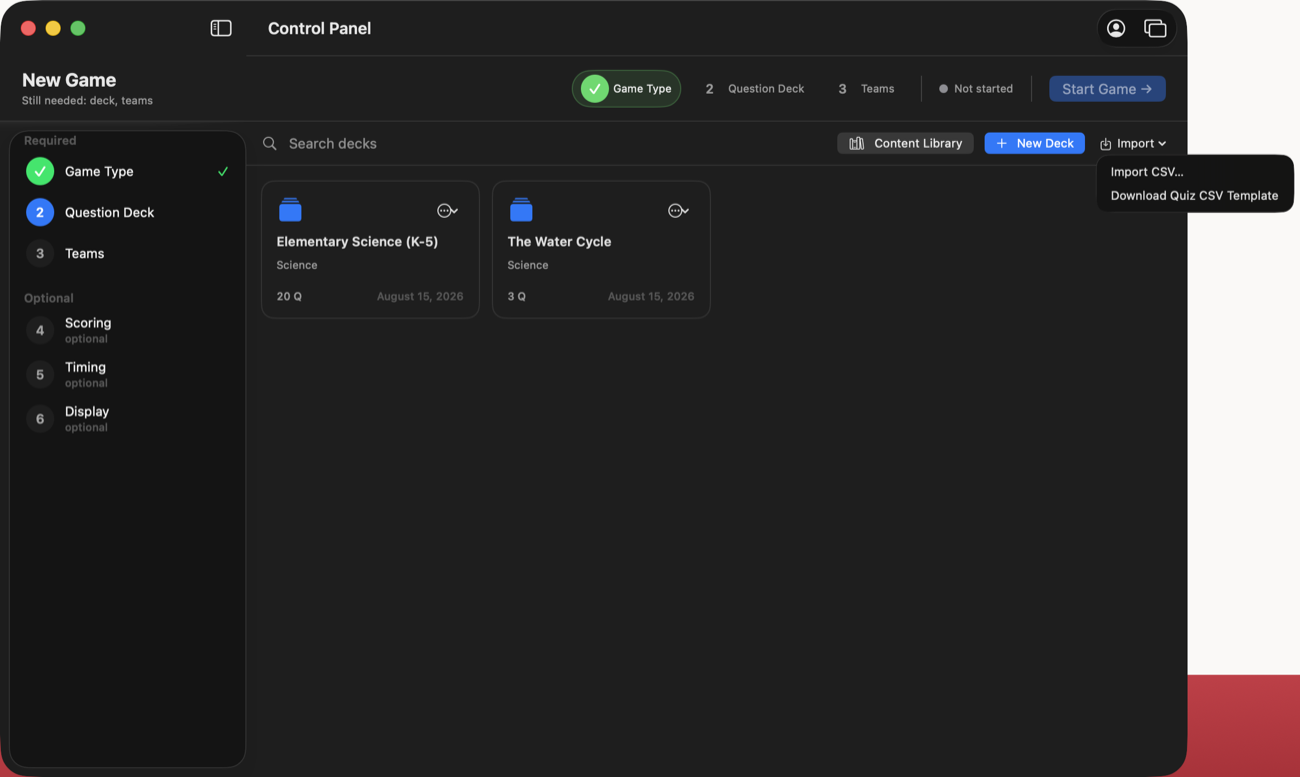
If your questions live in Excel, Google Sheets, or came out of another quiz tool, export them as a CSV and use Import → Import CSV on the Question Deck step. Not sure about the format? Import → Download Quiz CSV Template gives you a ready-made file to fill in.
The Import menu — bring a CSV in, or grab the template first.
The importer looks for these columns:
Column
What goes in it
question (or text)
The question text
a, b, c, d
The four choices
correct (or answer)
The correct letter — A, B, C, or D
points
Optional — point value per question (defaults to 100)
A two-line example, straight from a spreadsheet's File → Export:
question,a,b,c,d,correct,points Which planet has the shortest year?,Mercury,Venus,Mars,Jupiter,A,100
Way three — start from a built-in deck
Steal ours, then edit
The Content Library ships with 25 decks and 8 Jeopardy boards — 740 questions and clues, K–12. Built-ins are read-only, but Add to Library puts a copy in your library that's fully yours: open it in the editor, delete what doesn't fit your class, reword the rest, add your own. Halfway between "write everything" and "use it as-is," and often the fastest path to a deck that feels like yours.
Jeopardy boards
Building a Jeopardy board
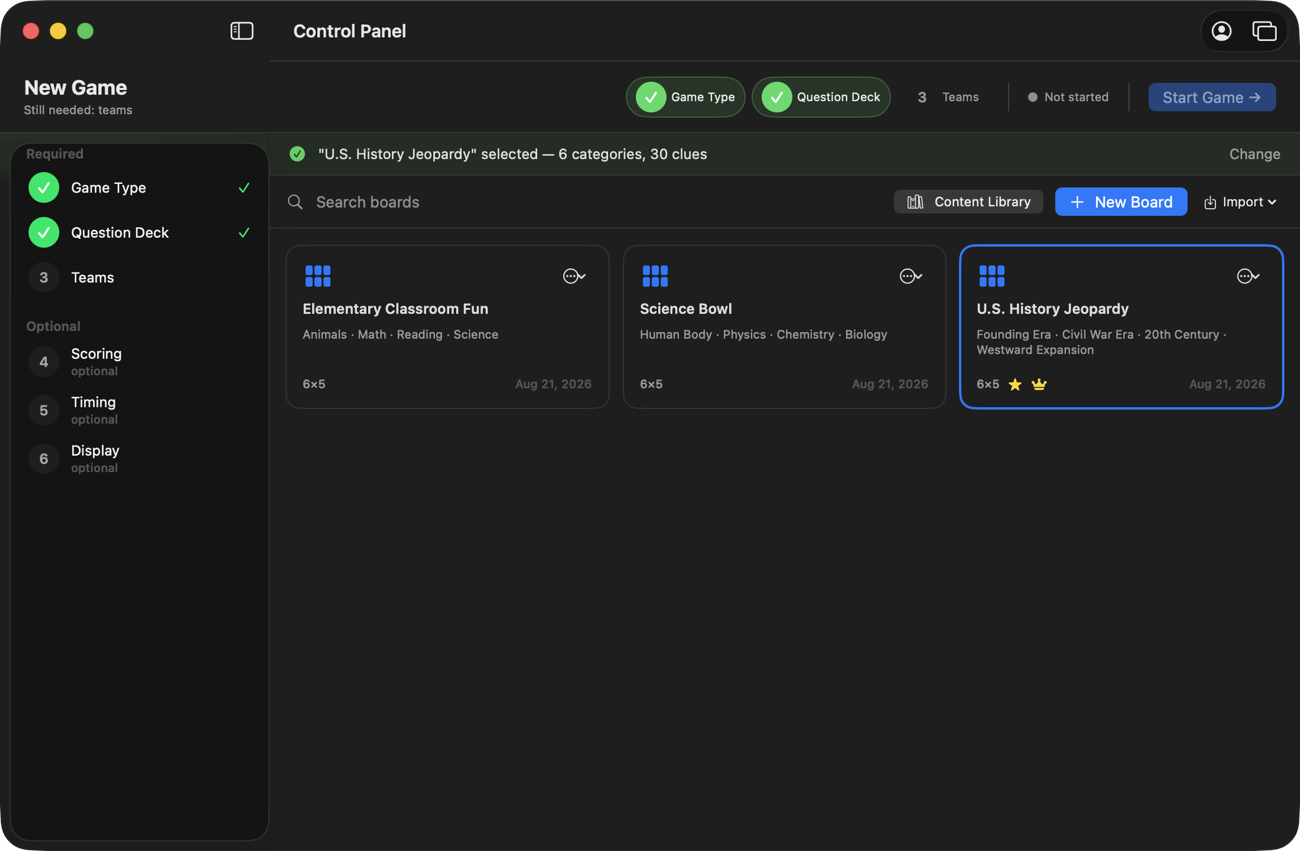
A Jeopardy board is its own kind of content: categories holding point-valued clues, not A/B/C/D questions. Pick Jeopardy as the game type and the deck step becomes a board step — a searchable library of board cards, with the same Content Library, New Board, and Import buttons.
1
Your boards, as cards
Every board is a card: its categories, a size chip like 6×5, a star if it has a Daily Double, and a crown if it ends in Final Jeopardy. Click a card to select it for the game; the ⋯ menu on each card has Edit, Preview, Duplicate, Export, Print, and Delete. You can also drop a CSV or a QuizBlast board file anywhere on the list to import it.
The board library — the star means a Daily Double, the crown means Final Jeopardy.
2
Edit on a grid shaped like the board
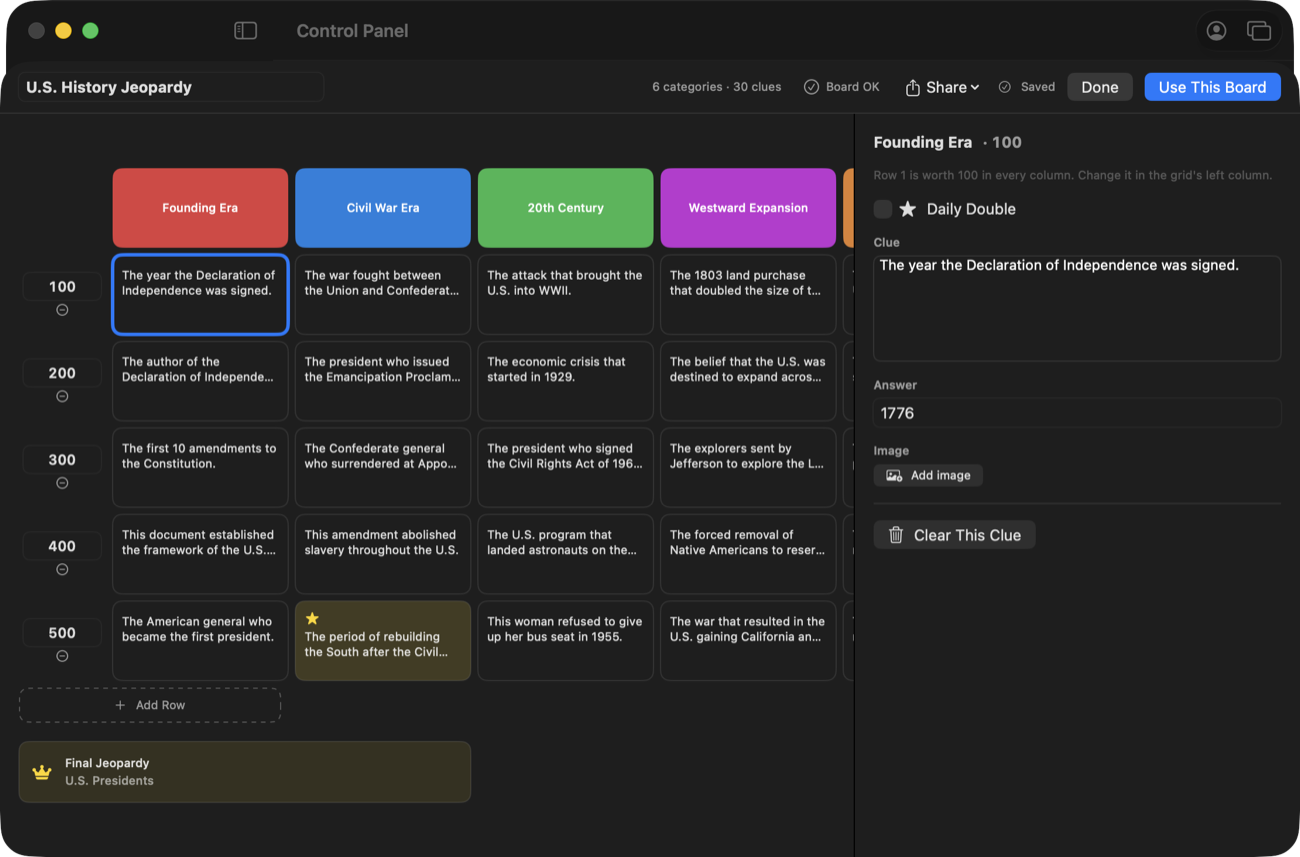
New Board opens the editor: categories are columns across the top, the point ladder runs down the left, and one inspector on the right edits whichever clue you click. Each clue holds the text the class sees and an answer that shows only on your control panel — teams answer out loud, you judge. Point values are set once per row, the way students read them off a real board, and you can drag a column header to reorder categories. Everything autosaves as you type; the health badge up top says Board OK when the board is playable, and clicking it jumps you straight to anything that isn't finished.
Columns across the top, points down the side, one clue open in the inspector.
3
Add the game-show rounds
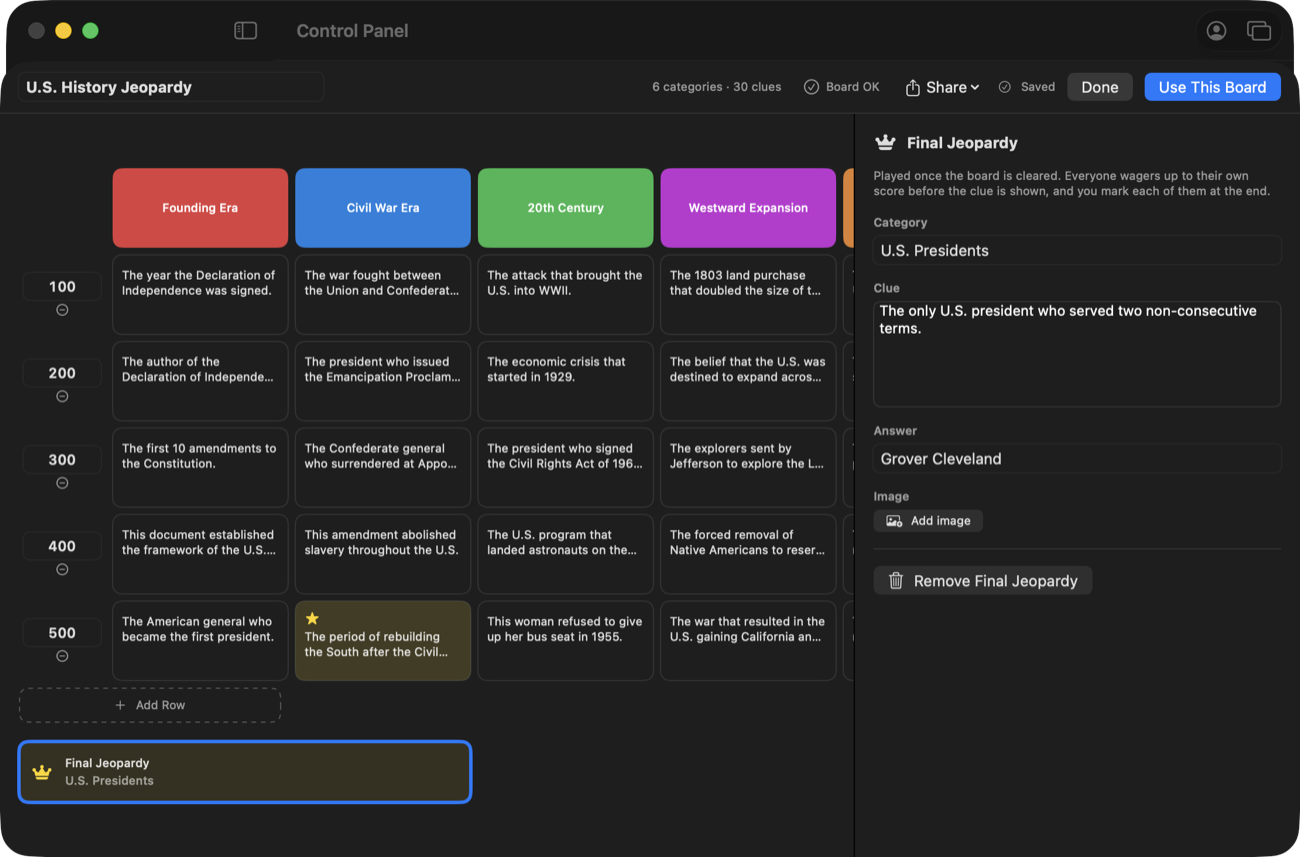
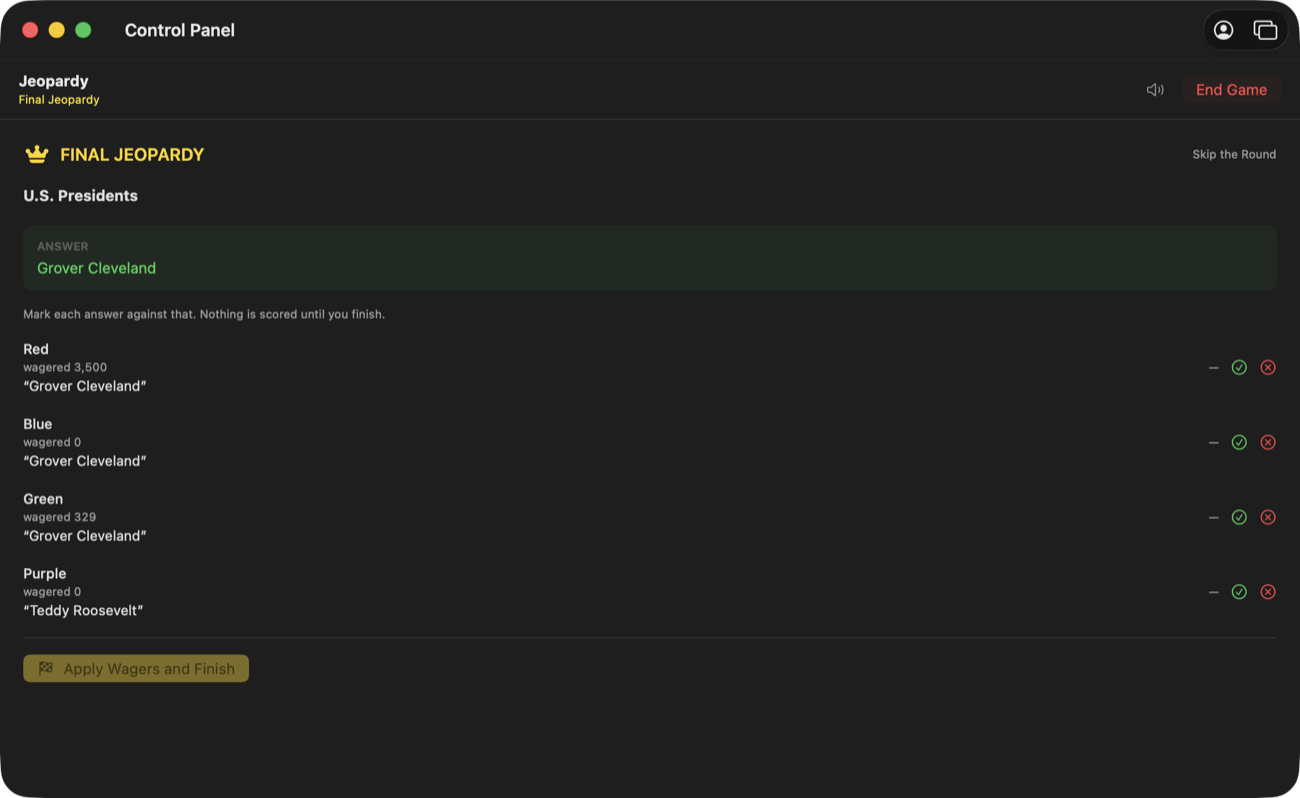
Right-click any tile and Make This the Daily Double: in the game, that tile stops the room, the contender sets a wager before the clue is revealed, and answers alone — a wrong answer costs the wager. Below the grid, Add Final Jeopardy gives the board one last clue, played once the grid is cleared: every student wagers up to their own score on their own device, types an answer, and you judge exactly what they submitted.
A starred Daily Double in the grid, and the Final Jeopardy round in the inspector.Judging Final Jeopardy — every wager and answer, exactly as submitted, marked in one pass.
4
Or import the whole board from a spreadsheet
The board Import menu takes a CSV with its own template (Download CSV Template is right there in the menu): columns category, points, clue, answer — one row per clue, and rows sharing a category name become one column of the board. An optional fifth column, daily double, marks a tile with yes. Final Jeopardy is added in the editor afterward.
A board CSV looks like this:
category,points,clue,answer,daily double Founding Documents,100,This 1776 document declared the colonies free of British rule.,The Declaration of Independence, Founding Documents,200,He wrote most of the Declaration at age 33.,Thomas Jefferson,yes Revolutionary Battles,100,"The war's first shots, April 1775.",Lexington and Concord,
Your decks and boards are files you own
Every deck and board is a plain file on your Mac — not a row in someone's cloud database. Nothing you write can be paywalled later, and your questions never leave your machine unless you share them.
 QuizBlast